Generate automatic reports in ESIA.
Compile important information into a report that will be generated according to the frequency you have defined.
You can generate as many reports as you wish, whether for executives, customers or your technical teams. Esia offers standardised blocks that allow you to format data such as:
- Availability
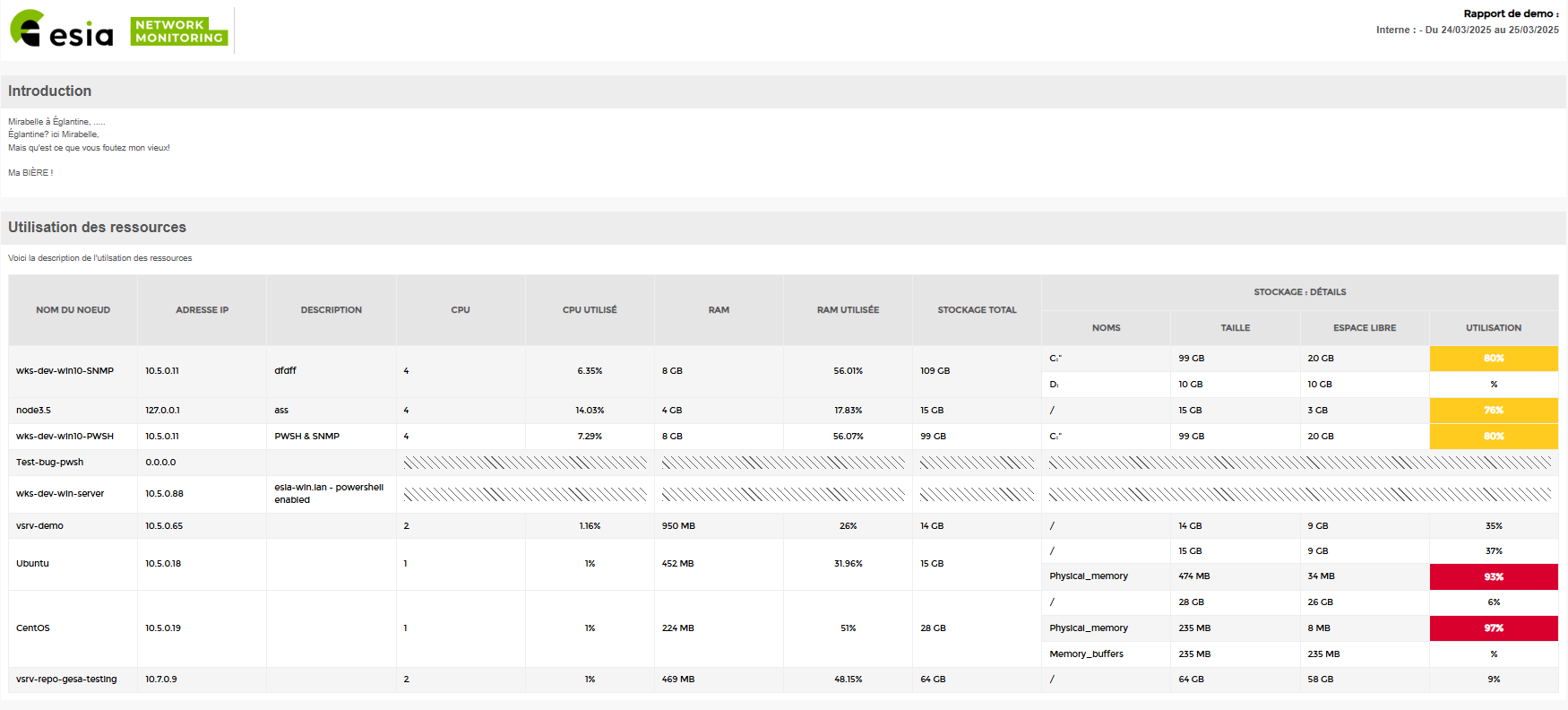
- Use of resources
- The incidents
- Storage space usage + capacity planning
- All graphs available in Esia
Template & email
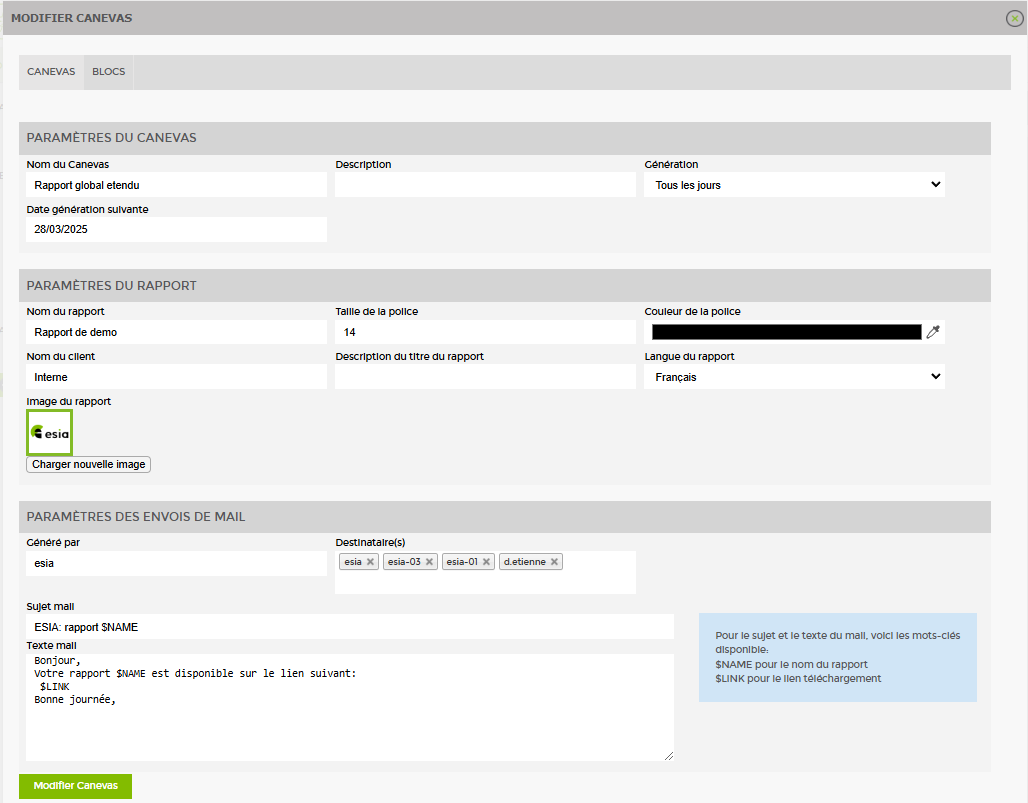
The canvas in Esia is a skeleton output, allowing you to customise your reports.
You create a custom template by specifying some information necessary for generating the report and defining the recipients of this document.
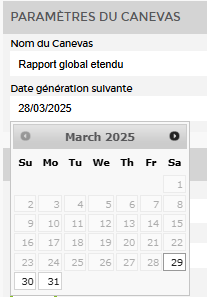
The date your report was first generated.
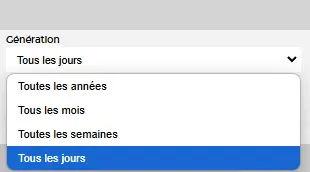
The frequency with which this report is generated: daily, monthly, yearly.
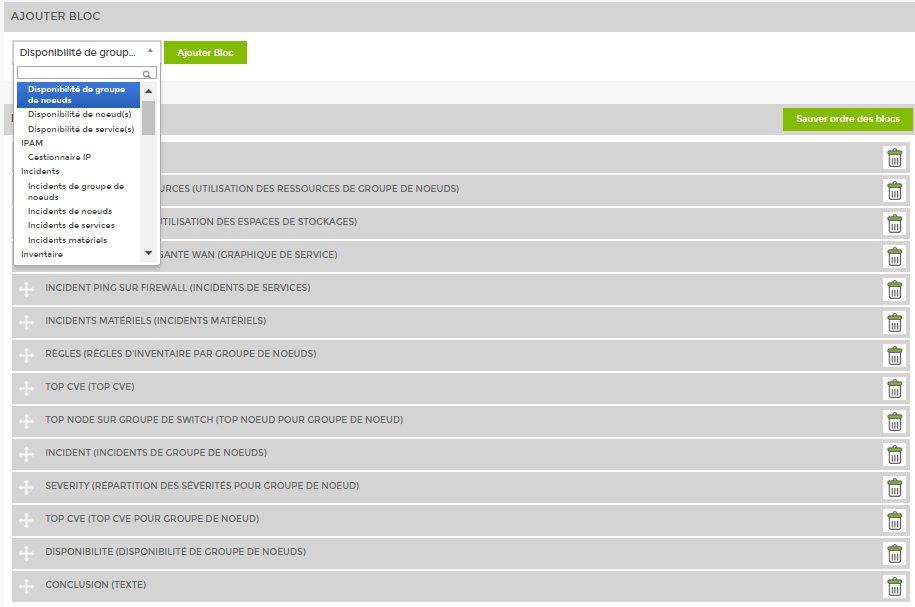
Block
The report generation tool offers you the types of blocks that you can assemble in your automated reports.
Simply assemble them in the desired display order to organise your reports as you wish.
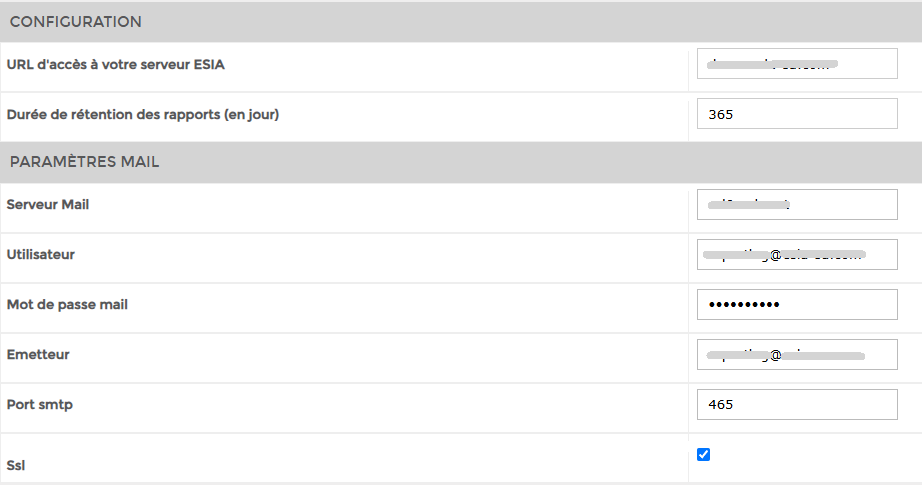
Configuration
Configure email delivery and your reports will be sent automatically after each new generation according to the frequency defined in your template.
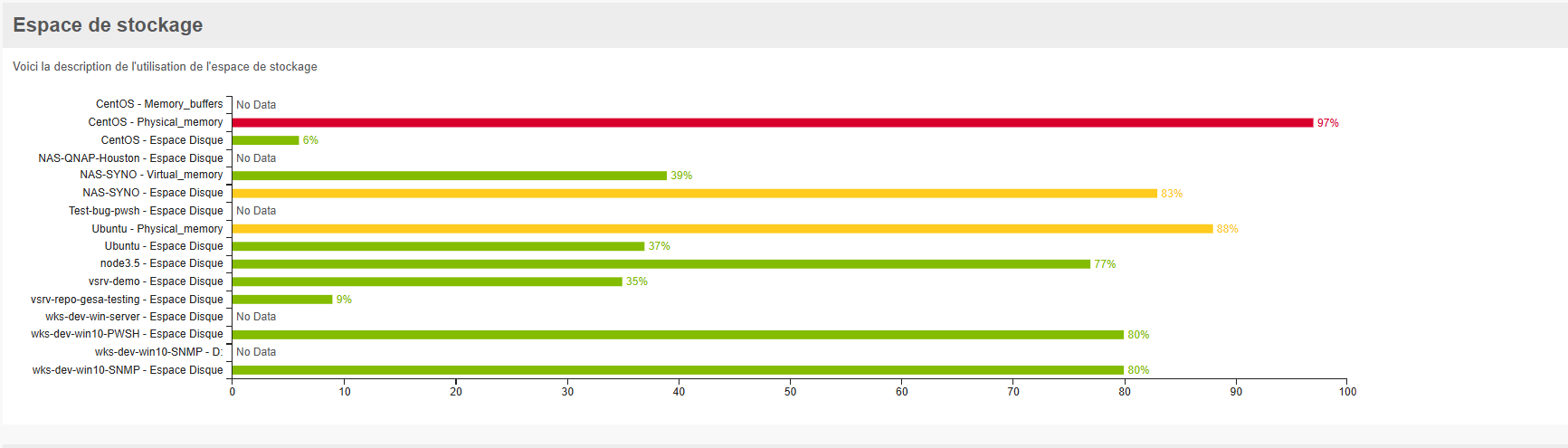
Storage space
Example of a block integrated into a report.
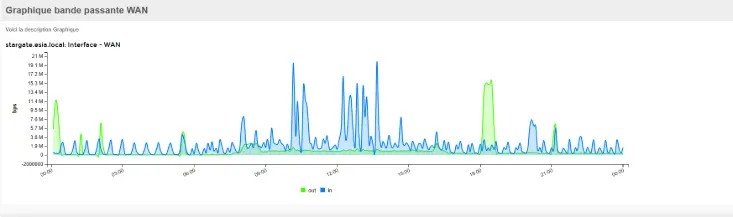
Bandwidth usage
Example of a block integrated into a report.
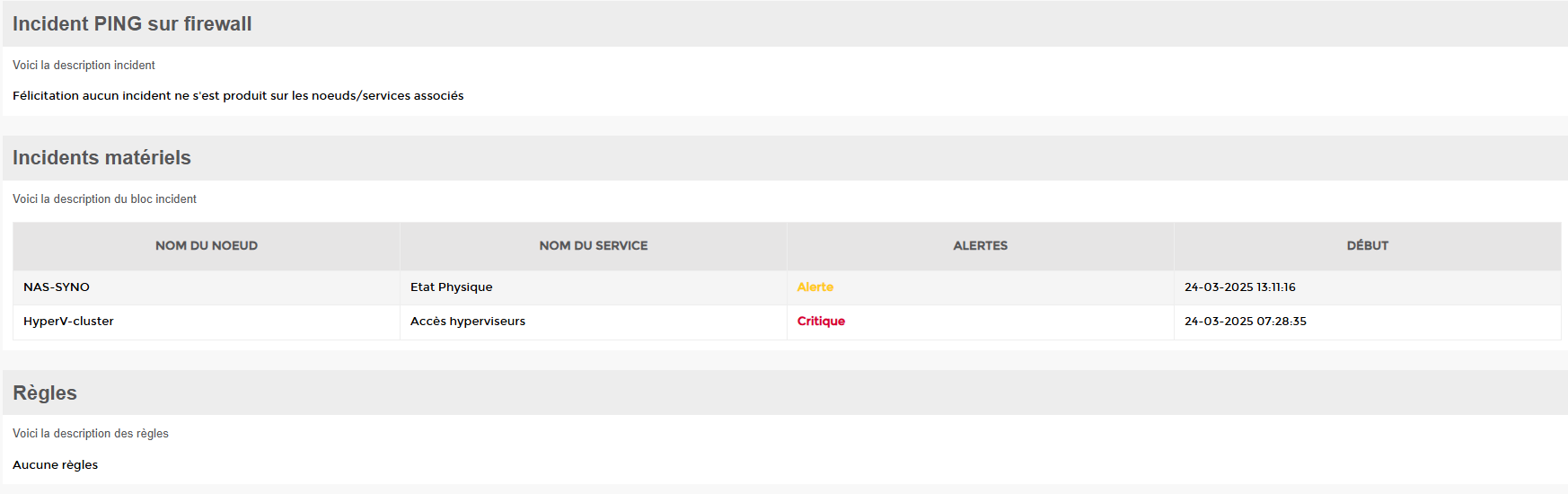
Incident block
Example of a block integrated into a report.
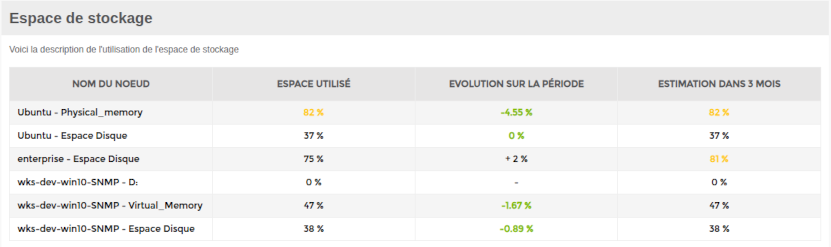
Capacity planning block
The storage space block enables you to activate capacity planning functions, allowing you to estimate your space utilisation rate over the next three months based on periodic changes.

Incident block
Example of a node group incident block (here camera) integrated into a report.